

Automatic reminders for ceramic coating maintenance washes
 ead admin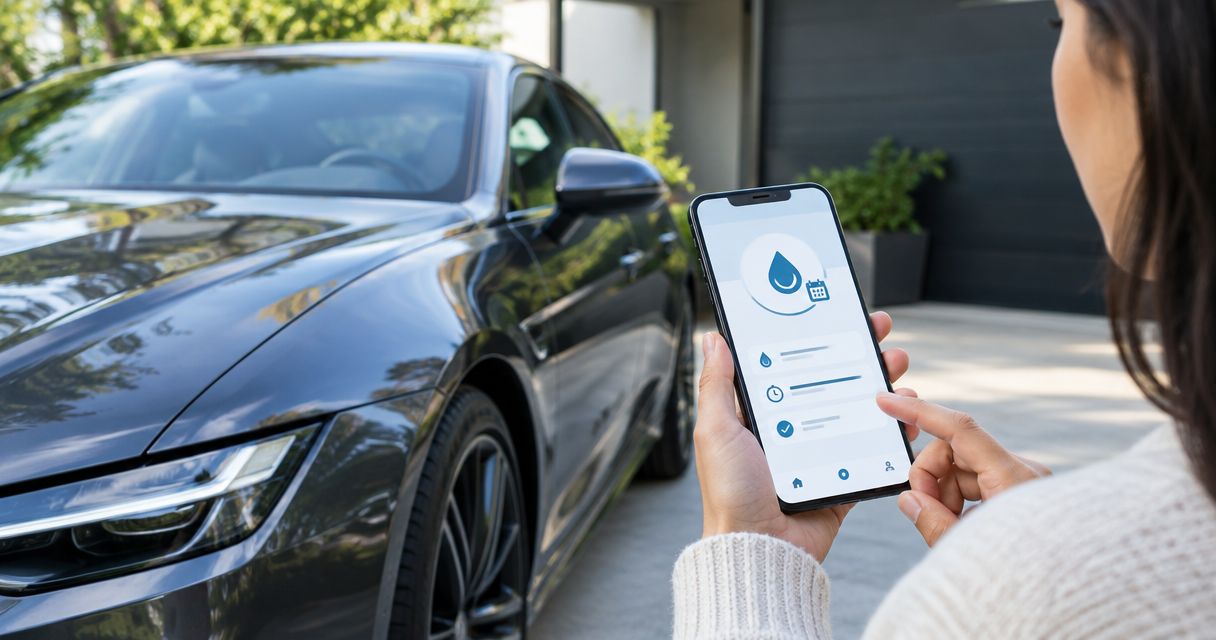
Instead of remembering every maintenance wash yourself, set up a ceramic coating maintenance reminder in Google Calendar that repeats and alerts you before your chosen wash date. Use your installer’s care instructions to set the schedule, then keep completed washes separate from future reminders.
- Use Google Calendar for a recurring ceramic coating maintenance reminder; follow your installer’s wash and aftercare instructions.
- Eadetailer provides ceramic coating services for Singapore car owners seeking professional paint protection.
- Choose fixed reminders for routine washing, or reset the next reminder after each completed wash.
- A calendar notification prompts maintenance; it does not book a detailing appointment or assess coating condition.
Why this matters
Ceramic coating does not remove the need to wash your car. Dirt and contamination still need attention, and a reminder cannot tell you whether the surface needs cleaning before its scheduled date.
Eadetailer ceramic coating services suit Singapore car owners seeking professional paint protection. The calendar handles the prompt; the maintenance instructions govern the work. Keep the care information supplied with your coating accessible, and use Eadetailer as the service reference rather than treating a calendar template as technical advice.
For your 2026 maintenance plan, separate three decisions: when to inspect the car, when to wash it, and when to ask a professional to assess it. A recurring event addresses the schedule, not the condition of the coating.
If you are still choosing protection, review the guide to ceramic coating packages in Singapore before building reminders around a service you have not selected. Record the actual aftercare instructions at handover, rather than copying another owner’s routine.
Before you start
- Have calendar access: Use a Google account with permission to create and edit events in your chosen calendar. This guide uses Google Calendar in a desktop browser; mobile layouts differ.
- Have the care instructions: Gather your installer’s first-wash guidance, maintenance instructions and any inspection requirements. Record the coating application date and identify any panels with a different protection system.
- Check the notification route: A saved event does not prove that your phone will alert you. Device permissions, account selection and calendar synchronisation need checking before you rely on the reminder.
The non-obvious setup mistake is scheduling a recurring wash before checking the coating’s initial aftercare restrictions. Start the series on an allowed wash date, not automatically on the application date. A recurring maintenance event must not override the installer’s instructions.
Choose your reminder workflow
Use one calendar workflow for each maintenance purpose. Running overlapping wash schedules creates duplicate prompts and makes the next due date harder to trust.
| Workflow | Best for | Advantage | Limitation |
|---|---|---|---|
| Fixed recurring event | Owners who wash on a consistent schedule | Google Calendar generates future occurrences automatically | A late or early wash does not automatically reset the series |
| Completion-based next event | Owners whose wash dates change | The next reminder follows the actual completed wash | You must update the next date after each wash |
Choose a fixed recurring event when your routine is predictable. Choose the completion-based variant when work, travel or vehicle use frequently changes the wash date. Neither workflow evaluates paint condition or replaces product-specific care instructions.
For a 2026 household calendar, make ownership explicit. If someone else normally washes the car, agree who updates the record. Otherwise, one person can dismiss a reminder while another assumes the wash has happened.
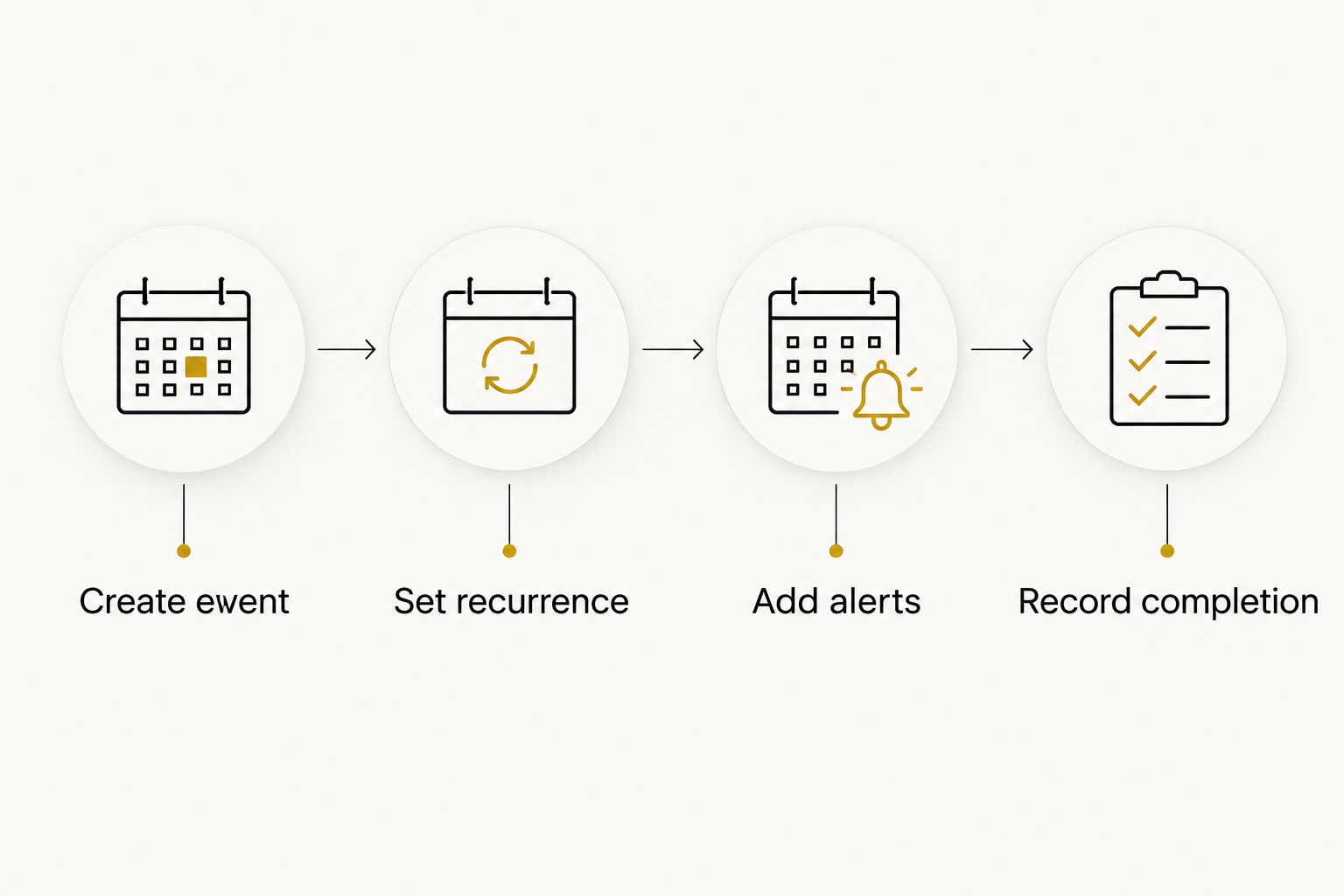
The following setup uses illustrative calendar settings, not a prescribed maintenance interval. An example recurrence of 2 weeks, an alert 1 day beforehand and another 30 minutes beforehand demonstrate the controls. Replace those values with settings that match your approved care routine and actual availability.
Calendar event configuration
Create the maintenance event
- Open Google Calendar in your desktop browser and check that you are signed into the intended account.
- Select Create, then Event. Use a recognisable title such as Ceramic coating maintenance wash and add a vehicle identifier if you manage more than one car.
- Set the first wash date and the time you intend to act. Avoid placing the reminder in a slot when you cannot inspect, wash or arrange care for the vehicle.
- Choose a calendar you control. Keep the event in a calendar that is visible on the phone you normally carry.
- In Description, add the coating application date, the supplied care instructions and the person responsible for the wash. Include any separate inspection requirement without assuming it matches the washing schedule.
Expected result: You have one clearly named event, assigned to the correct vehicle and calendar, on a permitted first-wash date.
Use the description as an action brief, not a general notebook. Include what the person receiving the alert needs to do, which instructions apply and where the maintenance record is kept. Avoid adding unverified product compatibility claims.
A useful 2026 event description distinguishes a routine wash from professional assessment. If you have noticed an unresolved mark or change in surface behaviour, record that observation separately rather than labelling the coating as failed.
Set the recurrence
- Open Does not repeat in the event editor.
- Select Custom to open the recurrence controls.
- Under Repeat every, enter the interval and select the appropriate unit. For the demonstration schedule, enter 2 and select weeks.
- Check the recurrence end setting. Choose an end point that fits your maintenance planning, rather than assuming the series represents the coating’s service life.
- Select Done, then check the first event date and recurrence summary before saving.
Expected result: The editor shows a recurring schedule with the interval you selected. Future occurrences belong to the same series.
A repeat interval is a scheduling choice, not a durability claim. Do not turn a coating’s advertised protection period into a wash frequency. Initial aftercare, routine washing and professional inspections are different instructions.
If you use a different interval, the workflow stays the same. What matters is that the recurrence matches the routine you intend to follow and starts after any initial restrictions have been satisfied.
Notification and maintenance record configuration
Add alerts and verify delivery
- Select Add notification in the event editor.
- Choose Notification and set the advance notice. The example uses 1 day so you can arrange the wash before the event.
- Select Add notification again if you need an action-time prompt. The example uses 30 minutes before the event.
- Select Save. Reopen the event and confirm that the recurrence and both alerts remain attached.
- Create a separate test event for a time when you can check your phone. Add a notification, save it, and confirm that the alert reaches the intended device.
Expected result: The event retains your settings, and the separate test confirms that notifications reach you. Delete the test event after checking delivery.
A desktop notification test does not establish that your phone works. Check delivery on the device you intend to use, with the correct account signed in and calendar notifications permitted.
If two alerts become easy to ignore, remove the less useful one. The objective is a prompt you act on, not a crowded notification feed. Keep the preparation alert only if it helps you arrange materials or an appointment.
Keep completed washes separate
- Leave the recurring event as the future maintenance prompt.
- After washing, create a separate non-recurring event titled Maintenance wash completed, with the vehicle identifier and actual date.
- Record relevant observations in Description, such as visible contamination, a mark requiring assessment or a change noticed after cleaning.
- If you must change the routine, edit the recurring series deliberately. Use All events only when you intend the change to affect the whole series.
Expected result: Your calendar distinguishes planned care from completed care. A dismissed notification is no longer mistaken for a maintenance record.
Do not rename the entire repeating series completed. That makes future events look finished before any work happens. Likewise, a planned detailing appointment is not evidence of a completed wash until the service has taken place.
Review your 2026 calendar after the first completed wash. Confirm that the timing was practical and that the record describes what happened, rather than what was merely planned.
Reset the reminder whenever a wash is completed
A completion-based workflow works better when your wash dates move. Instead of maintaining a fixed series, keep one non-recurring event for the next wash and move it after completing the current wash.
- Create the maintenance event using the same vehicle details and care instructions, but leave Does not repeat unchanged.
- Add the notification settings you need and select Save.
- After washing, create the separate completion record with the actual wash date.
- Open the next-wash event, select Edit event, and move it to the next date required by your maintenance routine.
- Select Save, then verify the new date and alerts.
Expected result: One future reminder reflects the actual maintenance sequence. Notification delivery remains automatic; updating the next date is manual.
Google Calendar does not detect a completed car wash. Moving an event is not a connection to an installer’s booking system, a sensor or a service record. Keep that distinction clear when sharing the workflow with another driver.
The completion-based approach has a practical weakness: forgetting the update removes the next prompt. Make updating the event part of finishing the wash, alongside recording any observations. Do not maintain a fixed series alongside it unless the second event has a clearly different purpose.
Troubleshooting
The event appears, but no alert arrives
Check that the event contains a notification, not just a date and time. Confirm calendar synchronisation, device notification permissions and the account receiving the event. Use another test event after changing settings; do not wait until the next maintenance date to find out whether the fix worked.
The reminder fires at an unexpected time
Check the event time and calendar time zone, especially after travel or an account change. A timed event is easier to verify than an all-day event when you need a specific alert. Reopen the saved event and confirm the notification offset as well as the start time.
Changing one wash shifts the whole schedule
You edited the recurring series rather than an individual occurrence. For a one-off timing change, choose This event when Google Calendar asks which occurrences to update. Reserve All events for a deliberate change to the complete routine.
Two reminders arrive for the same wash
Check for duplicate events, overlapping series and multiple alerts on one event. Also check whether the same maintenance event exists in both a personal and shared calendar. Keep one authoritative next-wash schedule and remove redundant copies after confirming the correct event remains.
The car needs attention before the reminder
Act on the condition of the surface rather than waiting for the scheduled event. Follow the supplied instructions for contamination removal, and ask for professional assessment when the appropriate treatment is unclear. Never use the reminder as permission to leave contamination in place.
Customize your workflow
Keep different protection systems identifiable. If your car has ceramic coating alongside XPEL PPF or ChromaGard, record which instructions apply to each surface; do not assume that one aftercare note covers every panel.
For Eadetailer ceramic coating maintenance, retain the instructions supplied for your actual service. A generic event description cannot establish which cleaning chemicals, corrective treatments or inspection intervals are appropriate.
Expand the calendar only where a separate event changes your behaviour:
- Add a professional inspection event when your installer specifies one.
- Give each vehicle its own identifier and maintenance record.
- Add a separate preparation event if arranging a wash requires an earlier decision.
- Keep appointment confirmations distinct from reminders to arrange an appointment.
For your 2026 review, remove obsolete series when a vehicle changes hands or its protection system changes. Update the care notes at the same time. An old reminder with the wrong instructions is worse than a clear, current event.
FAQ
What is the easiest ceramic coating maintenance reminder to set up?
A recurring Google Calendar event is a straightforward ceramic coating maintenance reminder for a fixed wash routine. Add notifications and use your installer’s instructions to choose the first date and repeat interval.
How often should I schedule a ceramic coating maintenance wash?
Set the wash schedule using your installer’s care instructions and the condition of your car. The example recurrence in this guide demonstrates calendar settings, not a universal washing interval.
Will the reminder automatically book a wash with Eadetailer?
No, a Google Calendar reminder does not book a wash with Eadetailer. Keep the prompt to arrange maintenance separate from any confirmed appointment.
Can I reset the next reminder after washing my car?
Yes, use a non-recurring next-wash event and move its date after each completed wash. The alerts are automatic, but recording completion and updating the date are manual.
Should I wait for the reminder if I notice bird droppings?
No, do not wait for a scheduled reminder to address contamination. Follow your coating’s care instructions and use an appropriate removal method rather than dry rubbing the affected surface.
Can the same reminder cover ceramic coating and PPF?
One reminder can prompt you to inspect the whole car, but the care notes must distinguish ceramic coating from PPF. Follow the instructions for each installed protection system rather than assuming identical treatment.
Does poor water beading mean my ceramic coating needs replacing?
Poor water beading alone does not establish that a ceramic coating needs replacing. Record the observation and arrange an assessment before deciding on corrective treatment.
One last thing
A maintenance reminder records intention, not completion. The strongest improvement is a separate dated record after the wash, because that tells you what actually happened when your routine changes.
For your 2026 schedule, check one future event and one completed record side by side. If both are clear, correctly dated and tied to the right vehicle, the workflow is doing its job.
Related guides
- Book car detailing appointments via WhatsApp in Singapore
- Ceramic coating and PPF bundle packages in Singapore
- Car detailing packages for new-car owners

Leave a Reply